How to advertise on Instagram: step-by-step guide (2026)
How to advertise on Instagram: boost a post in the app or run ads in Meta Ads Manager, pick an objective, set a budget, size Stories and Reels ads, and launch.
Morpho Team · · 11 min read
There are two ways to advertise on Instagram: boost an existing post or story from the Instagram app, or build a campaign in Meta Ads Manager with Instagram as a placement. Both need a professional (business or creator) account and a payment method; you set the budget and schedule, and every ad goes through Meta's review before it runs, which Meta says takes less than 24 hours for most ads.
This guide walks through both routes step by step, then covers which objective to pick, what Instagram ads cost, the right sizes for feed, Stories and Reels, and a pre-launch checklist. The steps follow Meta's own help pages; Meta renames buttons from time to time, so a label in your account may read slightly differently.
What do you need to advertise on Instagram?
To run Instagram ads you need a professional account, a payment method and a ready ad creative (an image or video plus the text that goes with it).
- A professional account. Meta asks you to switch your profile to a business account before you create ads in the app (Meta: Create ads from Instagram).
- A Facebook Page (optional, but useful). When you boost from the app, Meta asks you to connect a Page; you can skip that step. In Ads Manager you can run the ad as your Facebook Page or as a connected Instagram professional account, which you link through your business portfolio or the Page's settings (Meta: Instagram ads in Ads Manager).
- A payment method. You add a card or prepaid funds to the ad account. If you add funds from the Instagram app on iOS, Apple may take a service fee of 30% of the payment in most regions; Meta suggests using instagram.com on a computer to avoid it (same source as the first link).
- Creative for each placement. A 4:5 image or video for the feed, a 9:16 version for Stories and Reels, and short primary text. Sizes are in the table further down.
Boost a post or use Ads Manager: which should you choose?
Boosting a post is the fastest way to start; Meta Ads Manager is the better choice when you want sales, leads or a real test. Meta lists four main places to buy ads, and two of them are the ones most Instagram advertisers use (Meta: The cost of advertising on Meta technologies):
| Route | Where | Best for | Trade-off |
|---|---|---|---|
| Boost a post | Instagram app or instagram.com | Small businesses that want to start today | Few goals: profile visits, website visits or messages |
| Meta Ads Manager | Desktop and the Ads Manager app | Sales, lead forms, A/B tests, multiple ad sets | More settings to learn |
| Meta Business Suite | Desktop and the Business Suite app | Managing Instagram and Facebook in one place | Standard settings only |
| Facebook Page | Mobile, desktop or Business Suite | Also showing up on Facebook | Less control than Ads Manager |
A practical path: boost one strong organic post to learn how delivery and reporting work, then move to Ads Manager once you know what you want to optimize for (a purchase, a form, a booked call).
How to advertise on Instagram from the app (boost a post)
Advertising from the Instagram app means boosting a post, reel or story you have already published. Meta's steps:
- Go to your profile and tap Professional dashboard.
- Tap Ad tools, then Choose a post.
- Pick the post or story you want to boost and tap Next.
- Choose a Facebook Page to connect, or tap Skip.
- Fill in Goal (the result you want), Audience (who should see it), Budget (how much per day) and Duration (how many days it runs).
- On the review screen, tap Boost post.
The ad is reviewed against Meta's advertising policies and starts running once approved; you get notifications when it is in review, approved and finished (Meta: Create ads from Instagram). Posts with product tags can be boosted too.
How to run Instagram ads in Meta Ads Manager
Running Instagram ads in Ads Manager means creating a campaign and choosing Instagram as a placement. Meta's steps:
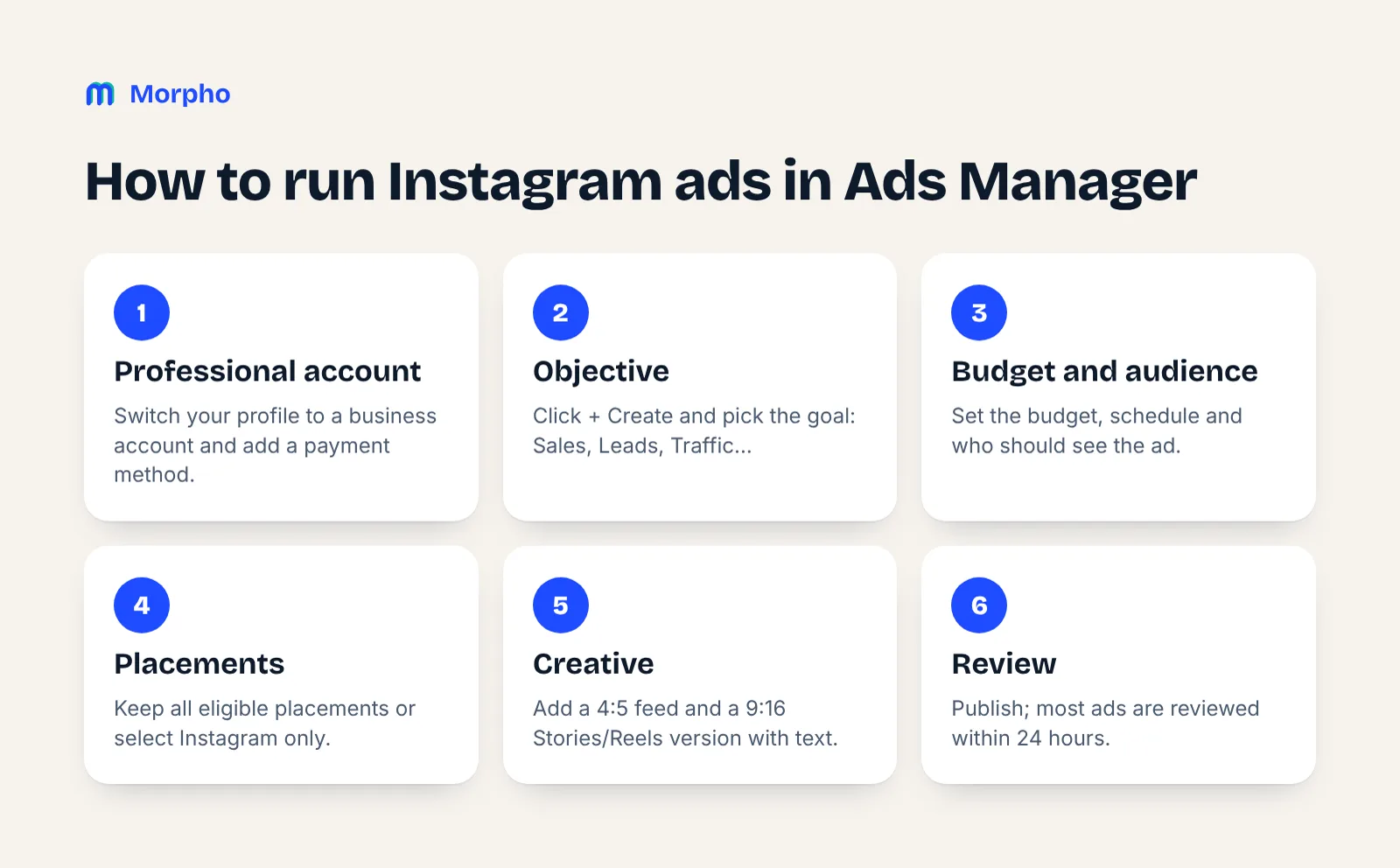
- Open Meta Ads Manager and click + Create.
- Choose an objective that supports Instagram placements and matches your business goal, then click Continue.
- Set your budget, schedule, audience and placements. To appear only on Instagram, open the placement settings and select Instagram as the platform. Meta recommends keeping all eligible placements on for the best results.
- Click Next and add the ad's identity (your Page and Instagram account), destination, creative and links.
- Check the preview and publish. The ad goes to review and appears on Instagram once approved.
In the audience and placement sections you may see Advantage+ switched on. That hands those settings to Meta's AI; manual settings are still available (Meta: Instagram ads in Ads Manager).
Which Instagram ad objective should you pick?
The campaign objective tells Meta which result you want, and Meta delivers the ad to the people most likely to produce it. Ads Manager has six objectives (Meta: Choose the right objective):
| Objective | Pick it when you want to… |
|---|---|
| Awareness | Reach as many people as possible who will remember the ad (new brand, rebrand) |
| Traffic | Send people to a website, an app or an Instagram shop |
| Engagement | Get messages, video views or post engagement |
| Leads | Collect contact details through forms, messages or calls |
| App promotion | Get app installs or in-app actions |
| Sales | Drive purchases or add-to-carts on your online store |
For most e-commerce brands Sales is the starting point; for service businesses that live on inquiries, Leads. The boost goals in the app (profile visits, website visits, messages) are simplified versions of these; in Ads Manager you choose the objective, conversion location and performance goal yourself.
How much does it cost to advertise on Instagram?
Instagram ads have no fixed price: you decide how much to spend, and Meta tries to get the best result for that budget. You control total spend with your budget and the cost per result with your bid strategy, and you can cap spending with a campaign spending limit and an account spending limit. Some advanced ad types have a minimum spend, which is shown when you create the ad (Meta: The cost of advertising).
What you pay per impression is set by an auction. According to Meta, the ad with the highest "total value" wins, and that value combines three things (Meta: About ad auctions):
- Bid: what you as the advertiser are willing to pay for a result.
- Estimated action rate: how likely the person is to engage with or convert from the ad.
- Ad quality: measured from feedback such as people hiding the ad, and from low-quality signals such as clickbait or sensational language.
That is why "how much are Instagram ads?" has no single answer: a more relevant, better ad can beat one with a higher bid on the same budget. Once your ad runs, check what the spend returns with our ROAS calculator and how often people click with the CTR calculator.
Can you advertise on Instagram for free?
You cannot run paid Instagram ads for free; every boost or campaign is billed from your ad budget. What is free is organic reach: posting reels, stories and carousels from a professional account, using product tags if you have a shop, and collaborating with creators. Many advertisers use organic posts as a free test and boost the one that already performs best.
How to create Instagram Stories and Reels ads
Instagram Stories and Reels ads are full-screen 9:16 ads that appear between people's stories or reels. You create them the same way as feed ads: boost a story or reel from the app, or keep Stories and Reels placements on in Ads Manager and upload a 9:16 version of your creative. The sizes below come from Meta's Ads Guide:
| Placement | Ratio | Recommended size | Note |
|---|---|---|---|
| Instagram feed | 4:5 | 1440 x 1800 px | Ratios from 4:5 to 1.91:1 are accepted (source) |
| Instagram Stories | 9:16 | 1440 x 2560 px | Keep the top 14%, bottom 35% and 6% on each side free of text and logos (source) |
| Instagram Reels | 9:16 | 1440 x 2560 px | Same safe zone; recommended primary text length is 44 characters (source) |
For feed ads Meta recommends up to 125 characters of primary text and 40 for the headline; longer text is cut off behind "more" (source). Check your image against the safe zone in our ad image sizes tool and your text with the ad copy character counter. For the words themselves, see ad copy examples.
Instagram ads checklist before you launch
The most common mistakes are picking the wrong objective, designing for one placement only, and forgetting that review takes time. Go through this list before you publish:
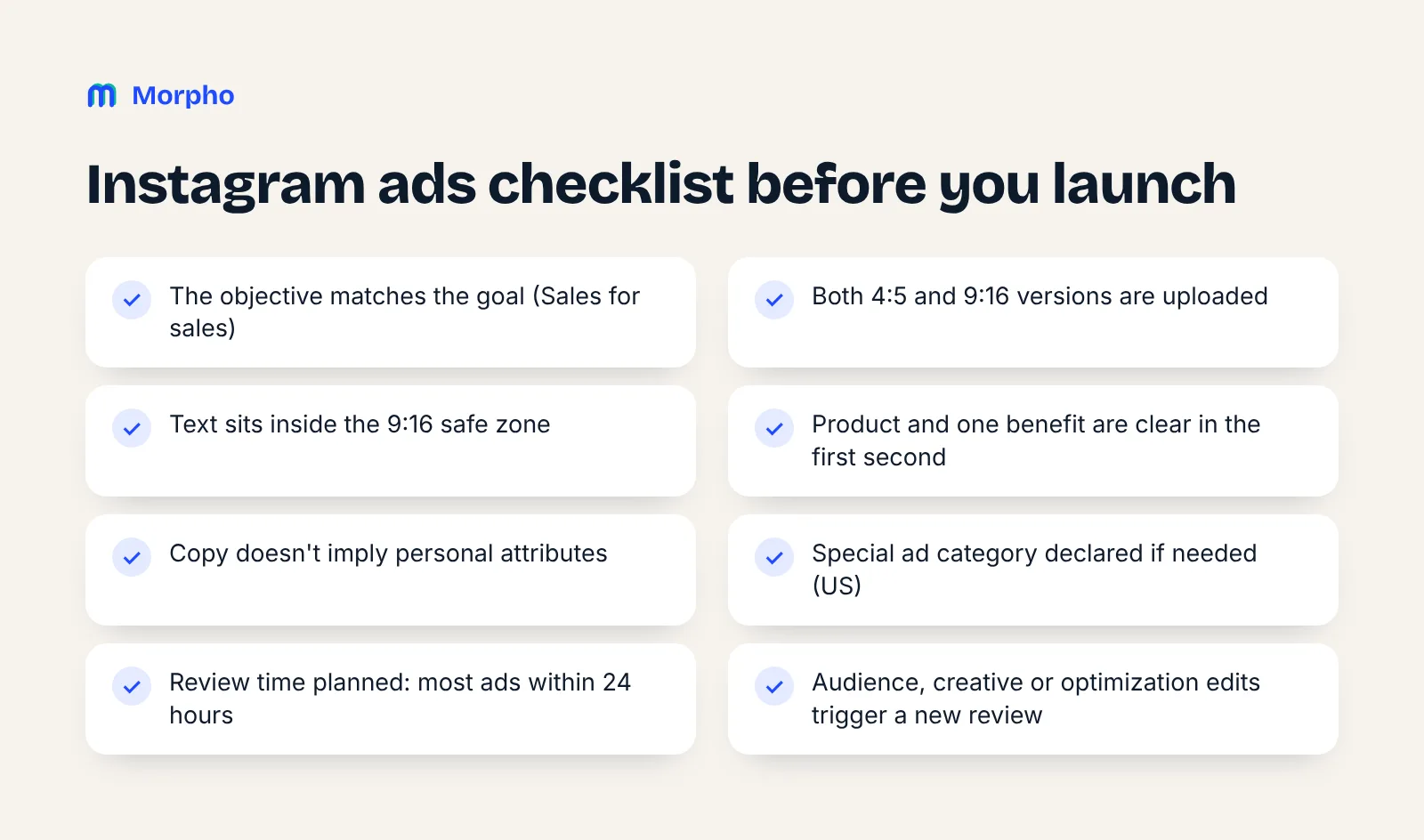
- Does the objective match the goal? If you want sales, choose Sales, not Engagement.
- Is there creative for every placement? With all placements on, upload both 4:5 and 9:16 versions, and keep text inside the 9:16 safe zone.
- Is the message clear in the first second? The product and one benefit should be visible at a glance.
- Does the copy imply personal attributes? Meta does not allow text that asserts or implies things like someone's health, religion or financial status (Meta Advertising Standards).
- Is it a special ad category? Ads about credit, employment, housing, social issues, elections or politics in or aimed at the United States must declare the category.
- Did you plan for review? Most ads are reviewed within 24 hours, sometimes longer. For a dated sale, create the ad early and set a start date (Meta: About ads in review).
- Editing a live ad: changing the audience, creative or optimization sends the ad back to review; changing the budget, bid or schedule does not (same source).
How to make Instagram ad creatives faster
The slowest part of advertising on Instagram is usually not the setup in Meta but making a separate image, video and text for each placement. Morpho Ads is an AI ad agency that takes on that part: you connect your website, say what you need in a chat, and an AI team makes the ad in your brand's logo, colors and voice.
- Connect your site. Morpho reads it and drafts a brand kit: logo, colors, fonts and tone.
- Ask in plain words. For example, "Two Instagram ads for my new product: one 4:5, one 9:16." Morpho splits the work between the Strategist, Copywriter, Art Director and Critic.
- Quality control. The Critic scores the finished ad on seven criteria and asks for fixes until it approves; you can watch every step live in Morpho.
- Download and upload. Static ads come as 4:5, 1:1 or 9:16 PNGs and videos as 9:16, 4:5, 1:1 or 16:9 MP4s, ready to upload in Ads Manager or the Instagram app.
If you are unsure about the objective, the team's Digital Ads Specialist consultant suggests an objective, audience, budget split and A/B test plan; it works only from your brand's real data and labels its numbers as suggestions. Morpho does not publish ads for you; sending drafts to Meta is "coming soon". See how it works, the pricing page (your first image ad or video is free), or our broader guide to AI ads generators.
FAQ
How much does it cost to advertise on Instagram?
There is no fixed price. You set a daily or lifetime budget and can cap it with spending limits; the price of each impression is set by an auction that weighs your bid, the estimated action rate and ad quality. Some advanced ad types have a minimum spend, shown when you create the ad.
How long does it take for an Instagram ad to go live?
After you submit, Meta reviews the ad; most ads are reviewed within 24 hours, though some take longer. Once approved, it starts on the date you set, and ads can be reviewed again while they run.
Can you run Instagram ads from a personal account?
No. To create ads in the Instagram app you first switch to a professional account. In Ads Manager an ad can also run under your Facebook Page; for it to show your Instagram account's name, that account must be a connected professional account.
Do you need a Facebook Page to advertise on Instagram?
Not to boost from the app: you can skip connecting a Page and add one later. In Ads Manager you choose either your Facebook Page or a connected Instagram professional account as the ad's identity.
Should you boost a post or use Ads Manager?
Boost when you want to start quickly with a post that already works organically. Use Ads Manager when you need a specific objective like Sales or Leads, custom placements, or several ad sets to compare.
This article was prepared with the help of AI; facts and sources were checked before publishing.
Make your ads in one conversation.
Connect your site and write what you need. An AI team makes on-brand image ads, videos and social media posts; you get the version that passed quality control.
Try it free