Creative Approval Workflow: Steps, Roles and Tools
How a creative approval workflow works for ads: the steps from brief to sign-off, who approves what, how to get client approval fast and which tools fit.
Morpho Team · · 10 min read
A creative approval workflow is the fixed path an ad or post takes from brief to sign-off: who reviews it, in what order, what they check and where the decision is recorded. A good one has three gates (brief, internal review, client approval), one place for feedback and a clear "approved" state, so nothing goes live on a thumbs-up in a chat thread. For agencies, the client step is where most of the waiting happens, so it should need no login and take one click per creative.
What is a creative approval workflow?
A creative approval workflow is a repeatable sequence of review steps that every piece of creative passes through before it is published or handed to the media buyer. It answers four questions for each ad: who has to say yes, in what order, against which criteria, and where the yes is written down.
It is narrower than a full creative workflow. The creative workflow covers everything from the request to the delivered file; the approval workflow is only the checkpoints inside it. That distinction matters because most delays are not in the making but in the waiting: a draft sits in an inbox, feedback arrives in three channels, and nobody is sure which version the client signed off.
A workable approval workflow has:
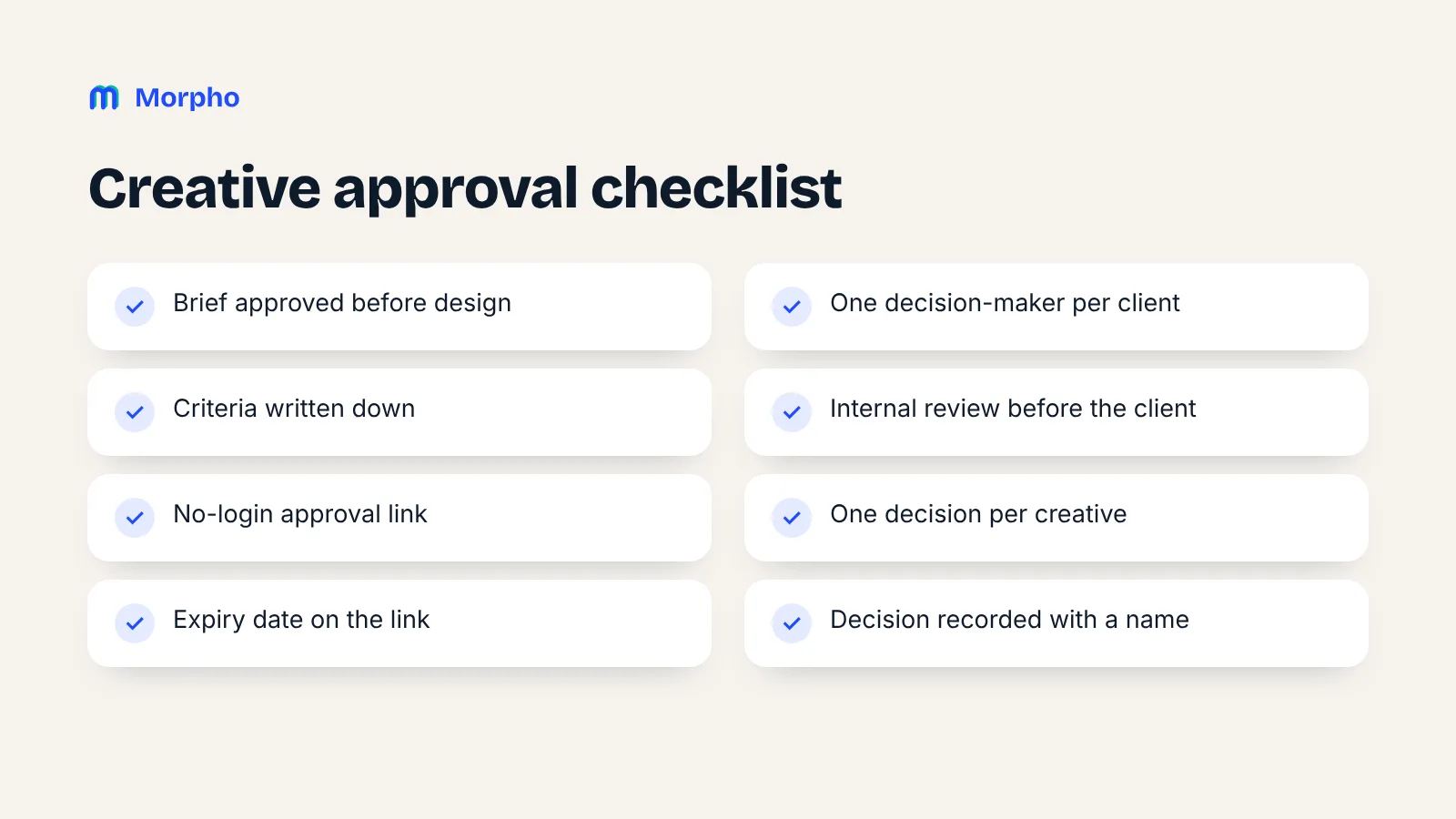
- Defined gates: the points where work stops until someone decides (brief, internal review, client approval).
- Named approvers for each gate, with one final decision-maker per client.
- Criteria written before the work starts: the creative brief, the brand kit and the platform rules.
- One record of every decision: approved, changes requested or rejected, with who and when.
What are the steps of a creative approval process?
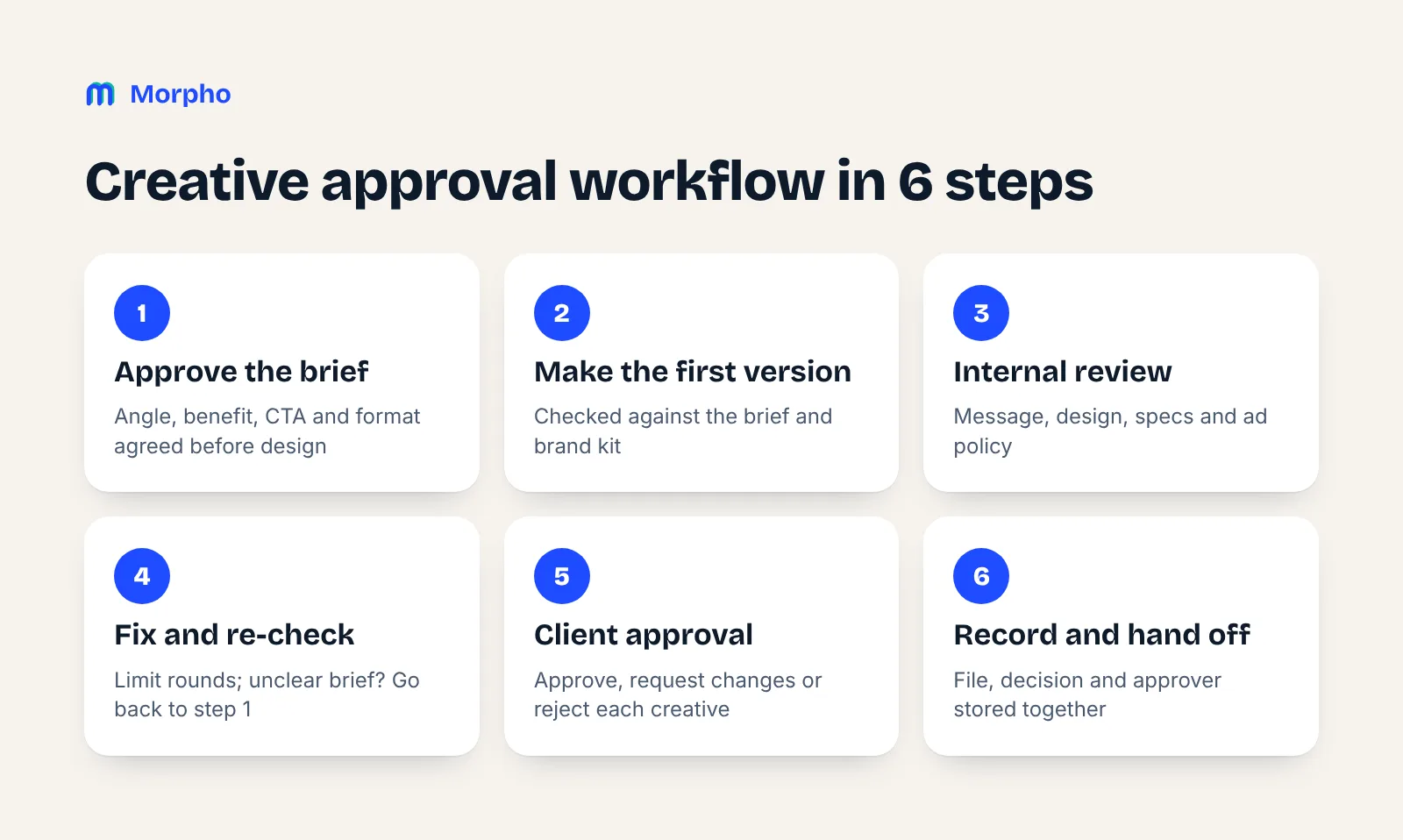
The creative approval process for ads usually runs in six steps, and the first one is the one teams skip most often.
- Approve the brief, not just the ad. Agree on the angle, main benefit, headline direction, call to action and visual direction before anyone designs. A rejected brief costs minutes; a rejected finished video costs days.
- Make the first version against the brief. The maker checks it against the brief and the brand kit before anyone else sees it.
- Internal review. A second person (a creative lead, a strategist or a reviewer agent) checks message, design, platform specs and ad policy. Feedback goes back to the maker, not straight to the client.
- Fix and re-check. Limit the rounds. If the same issue comes back twice, the brief was unclear; go back to step 1 instead of polishing.
- Client approval. Send the client a set of finished creatives, each with its own approve / request changes / reject decision. One decision-maker per client signs off.
- Record and hand off. The approved files, the decision and the approver's name are stored together, then the creative goes to whoever publishes or runs the ads.
Who should approve what?
Each gate should have one owner who decides and a short list of people who may comment. When everyone can approve, nobody does.
| Gate | Who decides | What they check |
|---|---|---|
| Brief | Strategist or account lead, then the client | Objective, audience, angle, main benefit, CTA, format |
| Internal review | Creative lead or reviewer | Message vs brief, brand kit, readability, safe zones, ad policy, text length |
| Client approval | One named person at the brand | Is this on-brand and accurate? Can it go live? |
| Legal or compliance (only when needed) | The brand's legal contact | Claims, prices, regulated categories |
Two rules keep this table honest. First, the client approves the work, not the process: they should not see half-finished drafts or internal comments. Second, legal review is a separate gate only for categories that need it (health, finance, regulated products), not a default step that slows every ad.
How do you get client approval faster?
You get faster client approval by removing every reason to wait: logins, unclear questions, mixed feedback channels and missing deadlines.
- No account needed. Send a link the client can open on a phone. Password-protect it or use a personal invite instead of asking them to create a login in your tool.
- One decision per creative. "Approve, request changes or reject" for each ad is faster to answer than "thoughts?" on a folder.
- Show it as it will appear. A 9:16 story ad should be reviewed in 9:16, not as a cropped thumbnail in an email.
- Set an expiry. A link or invite that is valid for a week makes the deadline visible without a reminder chase.
- Send reminders from the tool, not from memory. The approval page should show what is still open.
- Keep feedback in one place. Comments in email, chat and calls should end up on the creative they refer to.
A note on sign-off by chat: a "looks good 👍" in a messaging app is a decision without a record. If a dispute comes up later ("we never approved that price"), you want the creative, the version and the approver's name in one place.
What does creative approval software do?
Creative approval software gives each piece of creative a status (in review, changes requested, approved) and keeps the feedback and the decision attached to the file. The category is broad, so it helps to sort tools by what they were built for.
| Tool type | Built for | Examples | Watch for |
|---|---|---|---|
| Proofing tools | Annotating files and versions, multi-step review | Filestage, PageProof, Adobe Workfront proofing | You still make the creative elsewhere |
| DAM with review | Storing brand assets, approving them in the library | Lytho, Air, Cloudinary creative approval flows | Heavier set-up; aimed at in-house brand teams |
| Social media tools with client approval | Scheduling posts, client sign-off before publishing | Cloud Campaign and other schedulers | Approval is for posts in a calendar, less for ad sets |
| Work management | Tasks, deadlines and status across projects | Asana, monday.com | Approval is a task status, not a review of the file |
| AI ad creative platforms with approval | Making the ad and sending it for approval in one place | Morpho Ads | Covers only creatives made in the platform |
Pick by where the bottleneck is. If your designers already produce good work and the pain is version chaos, a proofing tool fits. If the pain is the time to make enough ad variations in the first place, a tool that both makes and routes the creative removes a handoff.
How does an approval workflow work for AI-made ads?
With AI-made ads, the approval workflow needs a stronger internal gate, because a model can produce a polished ad that is off-brief, off-brand or against ad policy in seconds. The human gates stay the same; what changes is that a review step can run before a person looks at anything.
In Morpho Ads, the workflow follows the gates above:
- Brief approval. A new creative can first come back as a brief (angle, main benefit, headline, sub-line, CTA, visual direction, video scenes). You approve it, send it back for revision or cancel it. A brief left undecided for 7 days is cancelled.
- Critic review. A critic agent scores every design and asks for fixes until it approves; 3 rounds are included and the loop is capped at 8. It also checks the ad against Meta's most-often-hit ad rules and keeps text, logo and CTA inside the safe zones of Reels, Stories, TikTok and Shorts.
- Client approval links. Finished creatives are grouped into an approval set and sent to the brand with a password-protected link or a one-time personal email invite, valid for 7 days, with no account needed. The brand approves, asks for changes or rejects each creative under its own name; decisions show on the Approvals page and in the chat, and reminders can be sent.
- Weekly summary. Every Monday an email lists what happened in your brands last week and what is still waiting for approval.
The critic step is not a replacement for the client. It catches what a reviewer would send back anyway, so the client sees fewer drafts. You can read more about how the scores work in ad creative analysis and about the agent roles in AI agents for marketing.
What should you report after approval?
After approval, report on the workflow itself, not only on the ads: how many creatives were made, how many were approved and how many rounds they took. These numbers show where the process is slow before the client notices.
Useful workflow metrics for an agency:
- Approval rate: approved creatives ÷ creatives sent to the client.
- Rounds per creative: how many revision rounds an ad needed before sign-off.
- Time in client review: days from sending the link to the decision.
- Rejection reasons: grouped (off-brand, wrong offer, wrong format), so the next brief fixes them.
Morpho's creative report shows creatives made, approval rate, average critic score, rounds and credits spent. You can edit it by writing to a report agent and share it through a read-only link that needs no account (optional password), where viewers can ask questions answered only from the report's numbers. It also downloads as a PDF or goes out by weekly or monthly email.
What Morpho does not do: it doesn't publish or run ads, it doesn't read performance from your ad account yet, and it isn't a general project management or proofing tool for files made elsewhere. If you need those, pair it with the tools in the table above. Plans and credits are on the pricing page.
FAQ
What is the difference between a creative workflow and an approval workflow?
A creative workflow covers the whole job, from the request and the brief to the delivered file. The approval workflow is the set of checkpoints inside it where work stops until someone decides. You can have a fast creative workflow and still lose days in approval if those checkpoints are unclear.
How many revision rounds should a creative approval process allow?
Agree on a number in the contract or the brief, commonly two or three client rounds. If a creative needs more, the problem is usually the brief or the decision-maker, not the design. Go back to the brief instead of adding rounds.
Should clients approve the brief or only the finished ad?
Both, when you can. Approving the brief first (angle, benefit, CTA, format) prevents the most expensive rejections, because the client corrects the direction before anyone designs. The finished ad then gets a faster yes.
What is the best software for an approval workflow?
It depends on where the delay is. Proofing tools suit teams that make creatives elsewhere and need versioned feedback; social media tools suit post calendars; work management tools track status across projects; AI ad creative platforms such as Morpho Ads make the ad and route it to the client in one place. See the comparison table above.
Can a client approve ads without creating an account?
Yes, if the tool supports guest review. In Morpho Ads, clients open a password-protected link or a personal email invite valid for 7 days and approve, request changes or reject each creative without signing up.
This article was prepared with the help of AI; facts and sources were checked before publishing.
Make your ads in one conversation.
Connect your site and write what you need. An AI team makes on-brand image ads, videos and social media posts; you get the version that passed quality control.
Try it free